Mesh Kit or Cabled Access Points for Villa Wi-Fi Dead Zones?
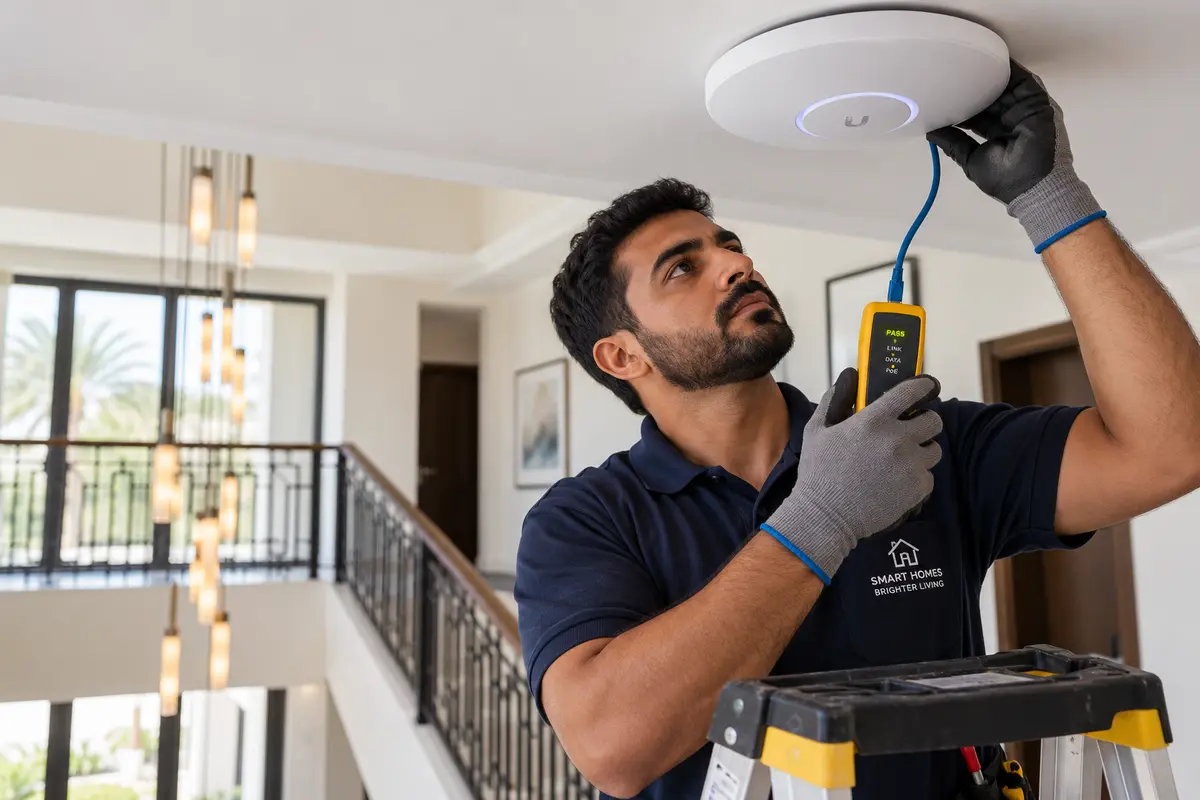
Why the signal gives out at the stairs
Most Dubai developer villas are reinforced concrete: a slab under every floor and concrete-block walls between the rooms. Wi-Fi loses a large share of its strength at each of those surfaces, and the loss grows with frequency.
Design data from iBwave, a Wi-Fi planning software maker, puts a heavy concrete wall at roughly 23 dB of loss at 2.4 GHz and about 45 dB at 5 GHz. The ITU's indoor propagation model (ITU-R P.1238) allows 16 dB for a single floor at 5.2 GHz in an office building. Every 10 dB cuts the signal to a tenth, so one slab and two block walls can leave the faster 5 GHz band with almost nothing in a back bedroom.
That is also why the extender disappointed. It has to sit where it can still hear the router, so the rooms beyond it get a relay of a signal that was already thin, and many plug-in models listen and repeat on one radio, which can roughly halve what gets through.
A newer band does not solve the stairs either. The UAE regulator (now TDRA) opened 5925–6425 MHz to indoor Wi-Fi at up to 250 mW in December 2020, and Wi-Fi 6E and Wi-Fi 7 kits use it. At 6 GHz the signal fades slightly faster than at 5 GHz, so the band speeds up the room a node sits in and does little for the link between floors. Pay for it only if the phones and laptops near each node can use it.
Whatever you buy, buy it through UAE retail. Wi-Fi equipment sold in the country needs TDRA type approval, and a grey import may not have it.
Look for cable in the walls before buying anything
Some developer villas were handed over with data cabling to the living areas and bedrooms. Others have only phone and TV points. It varies by developer, build year and the options the first owner chose, and owners often do not know which they have.
Three places to look:
- Wall plates. A data socket (RJ45) is noticeably wider than a phone socket and has eight gold contacts inside. It often sits beside a TV point or at desk height in a bedroom.
- The cabinet. Look for a small wall box or cabinet in a utility room, under the stairs, in the garage or near the main door. A patch panel with numbered ports means the points were cabled to a plan. A bundle of loose cable ends means they were cabled and never finished.
- The fibre terminal. The optical network terminal, the small box e& or du fitted where the fibre enters, is usually in or near that cabinet, with the router plugged in beside it. A router in the garage or a ground-floor cupboard at one end of the house starts every signal from the worst spot in the villa.
If the handover pack is still in a drawer, the developer's as-built electrical and low-current drawings show each data point and where it ends. Some developers will supply copies to a later owner on request.
To test a point, patch its port at the panel into a spare port on the router, then plug a laptop into the wall plate. A working connection means the cable is live, and its jacket at the panel will be printed with its category. No connection can mean an unterminated end, a damaged run or a port that was never connected, and a network installer's cable tester can tell which.
Count the floors and walls between the router and each weak room
Walk from the router to each dead zone and count what the signal has to pass: floors crossed, and block walls on the straight line between. Count per room. The maid's room behind the kitchen and a bedroom at the far end of the first floor often give different answers.
A wireless mesh kit copes when every node has a strong link to the next. Google's placement guide for its mesh points says to keep each point no more than two rooms from the last one and that points work best when they can see each other. TP-Link's app shows the link strength of each unit before you settle on a spot. In a villa, the upstairs node usually belongs on the landing, where the stairwell opening gives the signal a path that avoids the slab.
Starting points from the count:
- One floor to cross and an open stairwell: a mesh kit linking its nodes wirelessly is usually enough for a two-storey villa.
- Two floors to cross, or a room behind two or more block walls on the same floor: the node that serves it needs a cable feeding it, known as wired backhaul. It may still connect over the air, but that link tends to slow down and drop under load.
These are estimates. The app's link test, run with the node where it will actually live, is the evidence.
Getting a cable upstairs when there is none
One cable to the first upstairs node changes the result for the whole floor.
Through an existing conduit
Phone and TV points are usually fed through plastic conduit cast into the slab and blockwork. If one runs from the ground floor to an upstairs point and has space, an installer can draw a Cat 6 cable through it with a pull rope and leave the walls untouched. A conduit that carries mains cables is off limits: cabling practice keeps data and power in separate routes, and opening a power circuit is work for a licensed electrician.
Surface trunking
Slim plastic trunking along the skirting and up the stairwell, or inside a built-in wardrobe, is quick and reversible. Painted to match, it suits a utility corridor or the maid's room better than a formal staircase. Drilling straight up through the slab is a different job, and whoever does it has to scan for reinforcement, pipes and conduit first.
Powerline adapters
Powerline sends the network through the mains wiring, so it needs no new cable. Its weak points are the ones villas have. TP-Link's powerline FAQ says adapters that pair in one room but fail across the house are usually on separate circuits, that crossing phases on a three-phase supply lowers the speed, and that some breakers and surge-protected sockets weaken or cut the signal. Larger villas often have a three-phase supply and more than one distribution board.
Treat it as a trial. Plug one adapter in by the router and the other where the upstairs node will sit, measure the speed, and keep the receipt. Plugging adapters into sockets is as far as DIY goes here: anything inside a socket, a distribution board or a conduit with power in it belongs to an electrician.
Garden, pool and the majlis
An indoor node by a window reaches the terrace at best. The pool and the far end of the garden need a unit that lives outside.
Outdoor access points are sealed (look for IP65 or IP67) and take power and data through a single cable, known as Power over Ethernet (PoE), so each one needs a cable run from inside. Check the temperature rating against a Dubai summer and against the exact wall it will hang on. Datasheets commonly quote an upper limit between 60°C and 70°C, and Extreme Networks' AP3965 sheet states that its 70°C figure includes solar load. Where a datasheet says nothing about sun, mount the unit under an eave or on a shaded wall.
The box that supplies the power belongs indoors. Cisco Meraki notes that its PoE injectors are not weatherproof and are rated to 40°C, which a garden store or pump room passes in July. A PoE switch in the air-conditioned cabinet removes the problem.
The 6 GHz band is authorised in the UAE for indoor use, so outdoor units run on 2.4 and 5 GHz.
A separate majlis or driver's room needs its own feed. If a duct already runs to it for power or phone, a network cable in its own duct is the tidy answer, and a standard Ethernet run can reach 100 m, enough for almost any villa plot. With no duct and a finished garden, a pair of point-to-point wireless bridge units, one on each building with a clear line of sight between them, carries the link without trenching.
Which fix your villa gets
Put the three answers together:
- Live data points reach the weak floors. Use them. Wired access points on the ceiling or wall, powered from a PoE switch, give the most even coverage, and mesh nodes plugged into the wall points get most of the same benefit. If the points test live, this is a DIY job. If they need terminating, book a short installer visit.
- No cable, one floor to cross, open stairwell. A mesh kit you set up yourself. Put the upstairs node by the landing, run the link check, and add a third node only for a room the check still shows as weak.
- No cable, two floors or rooms deep behind blockwork. A mesh kit with a cable to at least the first upstairs node, through a conduit or trunking. The cabling is the installer's part.
- No cable and no route you will accept. Try powerline to feed the one node that matters, and return it if the upstairs speed test comes in far below what a laptop gets beside the router.
- Garden, pool or outbuilding on the list. An outdoor access point on a cable from inside, or a bridge to the outbuilding. That is installer work in almost every villa, and easiest done in the same visit as any indoor cabling.
A landlord fitting out a villa to let wants a system the tenant cannot unplug and lose. Cabled access points, with the admin details kept in the property file, suit that better than a box of plug-in nodes. What a tenant may add on top is covered in what tenants can fit.
What a network installer's quote should spell out
Two cabling quotes can look alike and describe different jobs. Ask each installer to state:
- Whether they measure the signal on site before proposing, and in which rooms.
- How many access points, with each position marked on a floor plan.
- The cable category and the route of every run (existing conduit, new trunking or a hole through the slab), and who makes good the wall or ceiling.
- That every run is terminated at a patch panel and tested, with the results handed over.
- The PoE switch: number of ports and a power budget with spare capacity.
- For outdoor units, the IP rating, the temperature rating and the mounting position.
- Admin usernames and passwords for the switch, access points and any controller app, transferred to you, plus a labelled diagram of the cabinet.
- What happens to the existing router and the fibre terminal, and whether anything needs the internet provider.
If cameras may join the network later, say so now, so the switch has ports and power for them. Where those cameras may legally point is a separate question, covered in the rules for home cameras.
A DIY mesh kit is enough when the villa has two storeys and an open stairwell, nothing outdoors needs coverage, and the link check shows every node connected well. Cable to terminate, a slab to cross twice or a garden to reach is the point to bring in a home network installer.
Dead zones rarely improve with another plug-in gadget, and each extra extender is one more box to reset. Everlook lists vetted UAE contractors for home networking, with verified licences and reviews from other villa owners. Post the job with your three answers from the walk-round, and the quotes that come back can be read against the list above.
Find your next pro on Everlook
Post a job in minutes and get offers from trusted local contractors. Free to start.
Find your next pro on Everlook
Post a job in minutes and get offers from trusted local contractors. Free to start.
Get started